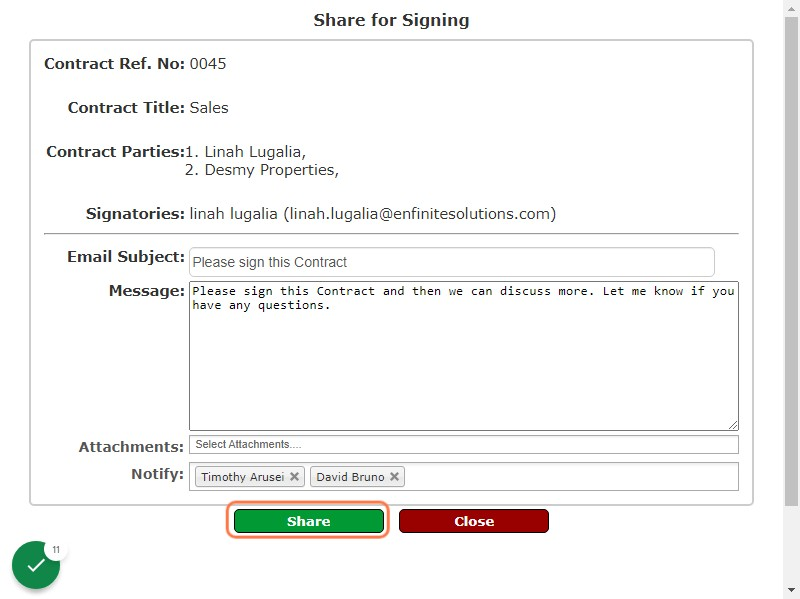
Note that once contract has been approved you are now able to share it for signing (signing link will pop out). This functions allows you to share via email to the selected the signatories in order for them to sign it using a different browser via the guidelines stated in the email received.
Please follow the below steps:
1. Log into the system
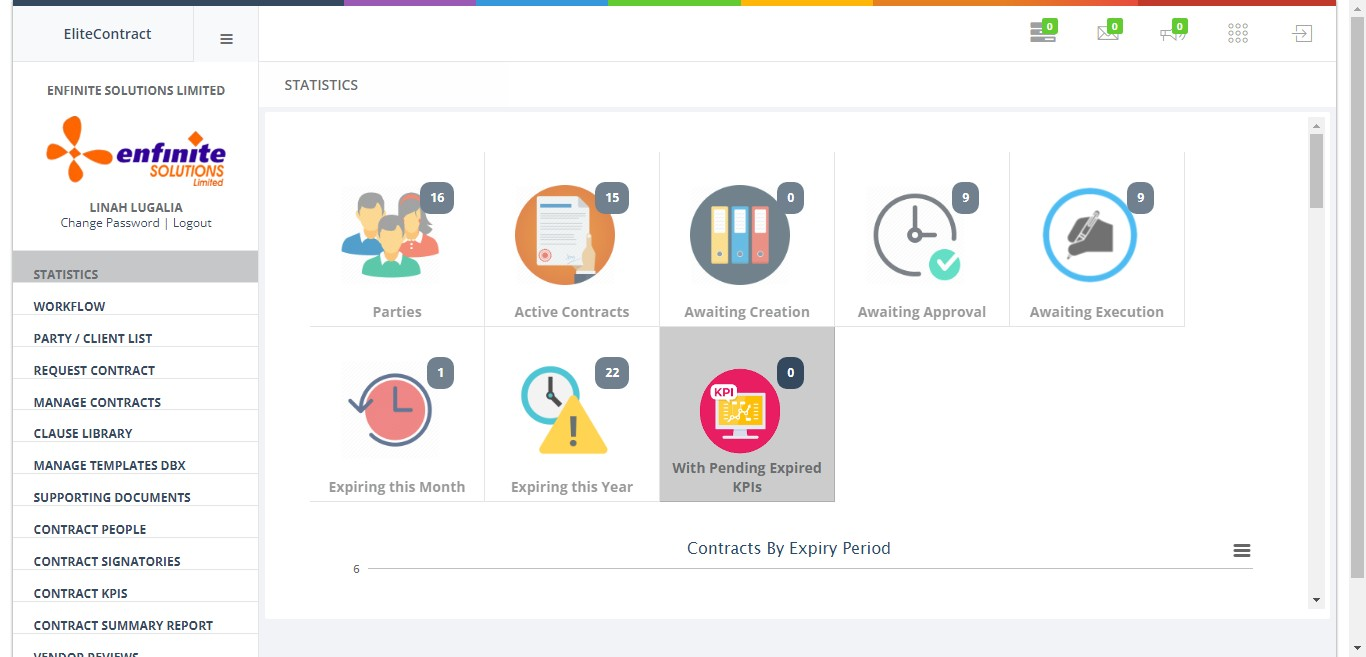
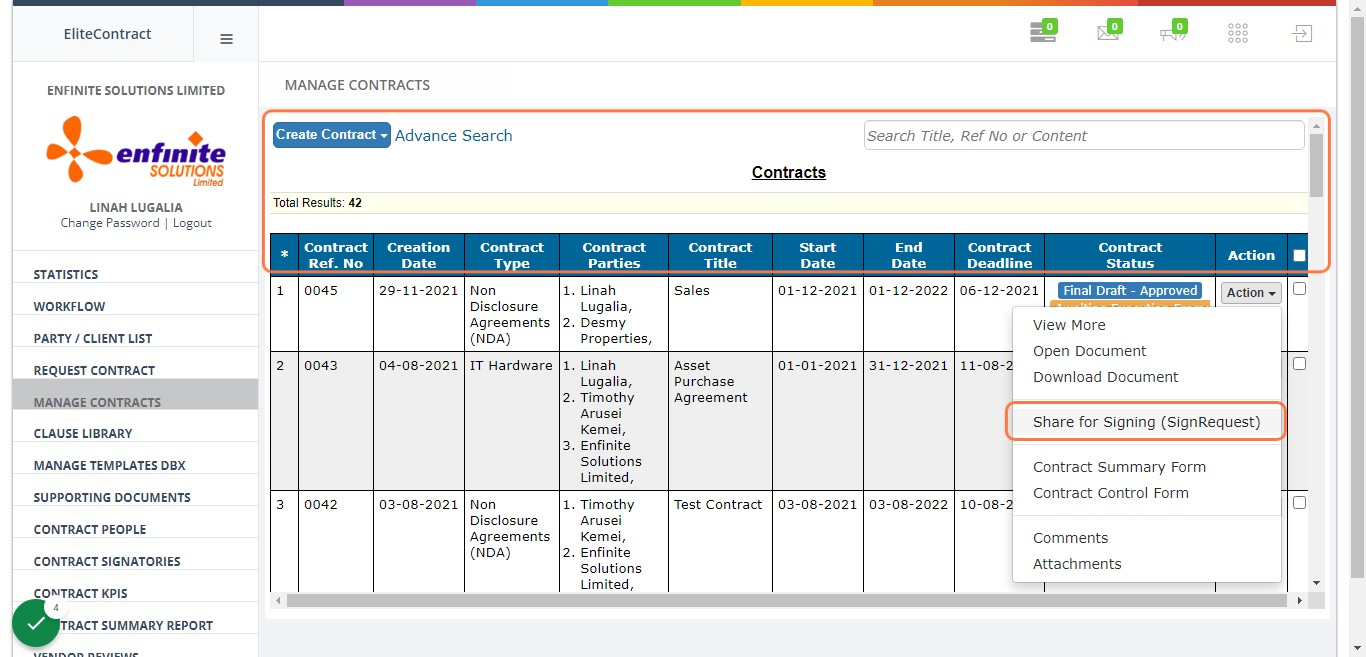
2. Click on “MANAGE CONTRACTS” module
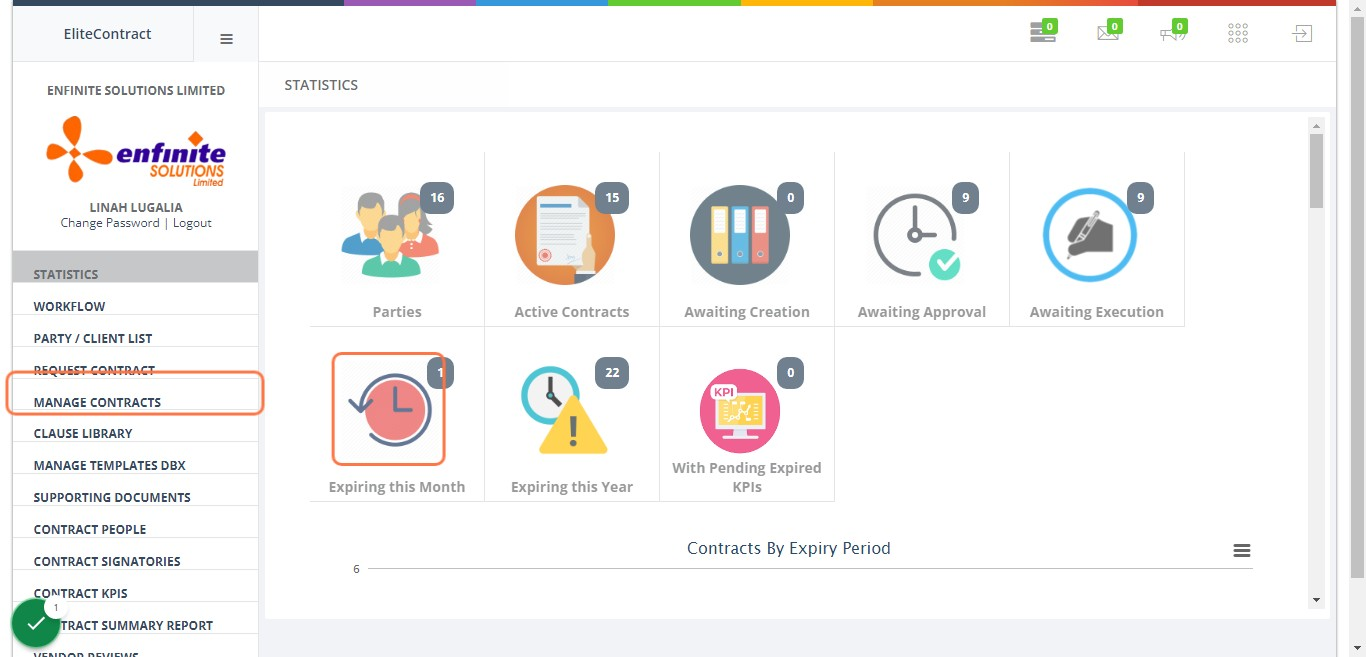
3. Go to the specific contract you wish to share for signing, Click on “Action” button against it
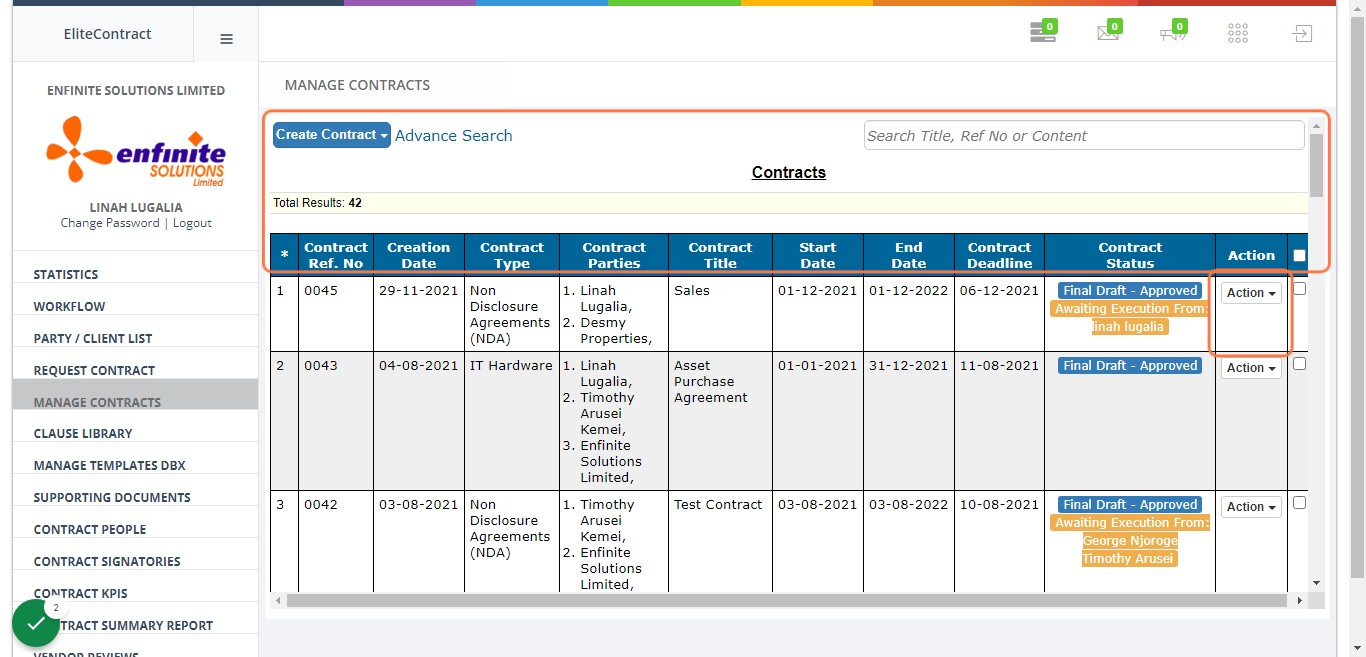
4. Click on Share for Signing (Sign Request) option
5. Fill in the details accordingly in the pop out share for signing form i.e. attachments and who to be notified as shown below
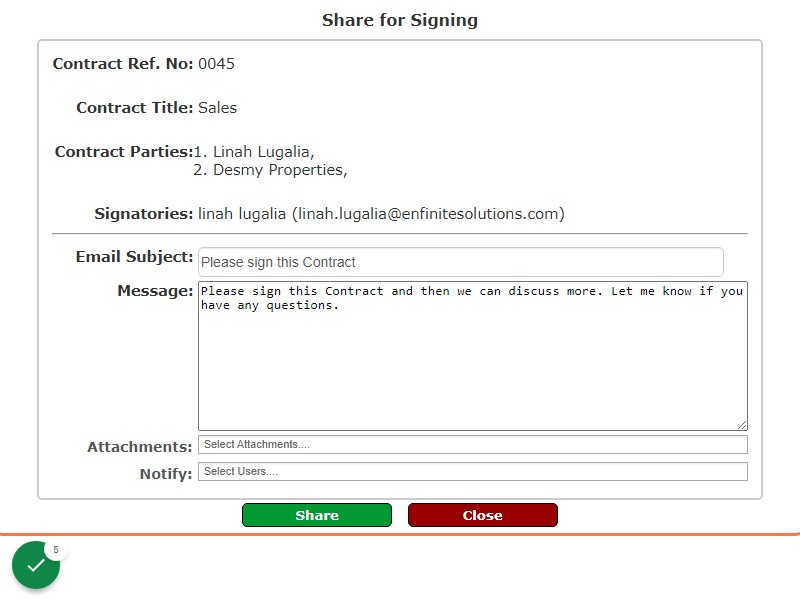
6. Once done click on the Share button to share the document for signing